
Unlock Your CAD for Sales: Why Every Product Manager Should Create Their Own 3D Visuals
"Can we get some renders for the deck?" It's Thursday. The sales call is Monday. Engineering is deep in a sprint. Nobody has time to export, render, and iterate on marketing visuals.
This scenario plays out constantly in hardware companies. Sales needs visuals. Engineering creates visuals. The handoff is slow, painful, and blocked on the wrong team.
The Sales-Engineering Disconnect
Buyers form opinions long before a live demo. High-quality product visuals do a disproportionate amount of persuasion. But:
- Engineering owns CAD data
- Sales needs rendered images/videos
- Marketing needs assets for website, ads, collateral
- Product managers need visuals for specs and stakeholder decks
Current process: Sales asks engineering. Engineering queues the request. Renders happen next week. Sales misses the window.
Why Sales Can't Use CAD Files
| Barrier | Reality |
|---|---|
| No CAD software | SolidWorks seats cost $4k+/year; sales doesn't need the full tool |
| Learning curve | Even eDrawings takes hours to learn well enough for presentations |
| No render capability | Raw CAD viewports look like engineering drafts, not marketing assets |
| IP risk | Giving sales the actual CAD files is a security concern |
The Self-Service Vision
Imagine if product managers and sales could:
- Open a web browser
- See the latest product designs (already rendered, studio-lit)
- Orbit to find their preferred angle
- Download a PNG—or embed a live 3D view in their deck
- No engineering request. No waiting. No queue.
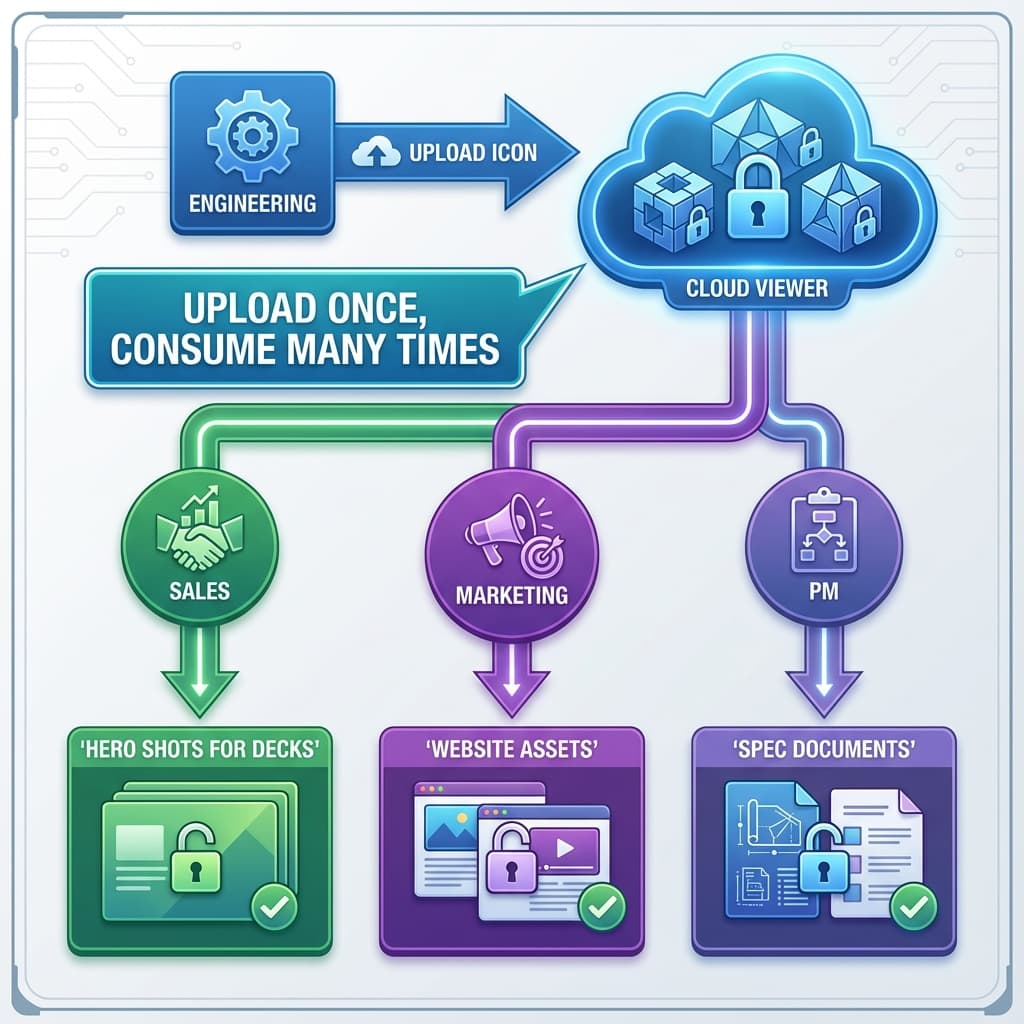
Engineering uploads the CAD once. Non-technical teams consume visuals on-demand.
A 7-Day Rollout Plan
Create a shared “Library”
One place where the latest designs live. Agree on naming and folder structure.
Set 3–5 “hero” camera presets
Hero, detail, and scale angles so sales can export instantly without guessing.
Lock a consistent visual style
Same lighting/background across products so your decks and website look coherent.
Define roles and export permissions
Sales/PMs can view and export PNGs; only engineering uploads revisions.
Do a 15-minute enablement session
Show how to find the right model, pick a preset, and export assets on-demand.
What Sales and Marketing Actually Need
How Cloud Viewers Enable This
Modern cloud visualization platforms offer:
- Shared project libraries: Engineering uploads, everyone accesses
- Role-based permissions: Sales can view/export renders; only engineering can modify CAD
- Instant material swaps: Change colors without re-rendering from scratch
- Preset camera angles: Engineering sets up "hero shot 1," "hero shot 2"—sales just clicks
- PNG/JPEG export: High-res downloads for any use case
The ROI Calculation
Consider this tradeoff:
| Approach | Time per Request | Engineering Hours/Month |
|---|---|---|
| Manual: Sales asks engineering | 2-4 hours (communication + render) | 10-20 hours |
| Self-service: Sales uses viewer | 5 minutes (pick angle, export) | 0 hours |
At 5-10 visual requests per month, self-service saves 10-20 engineering hours monthly. That's a full week of sprint capacity freed up annually.
Security: They Get Pixels, Not Files
Giving sales CAD access might feel risky. With cloud viewers:
- Sales sees rendered images, not geometry
- They can download PNGs, not STEP files
- IP stays protected even if laptops are lost or employees leave
Key Takeaways
- ✓Sales needs visuals, but CAD files create barriers and risks
- ✓Cloud viewers enable self-service: engineering uploads, everyone consumes
- ✓Time savings: 10–20+ engineering hours/month
- ✓Security: exports are rendered images, not geometry
FAQ
What if sales needs a specific angle that isn't preset?
They orbit to any angle in the viewer and export. Or they request engineering add it as a new preset for future use.
Can we brand the viewer with our logo?
Most enterprise plans include white-labeling—your logo, your colors, your domain.
What about video content?
Many platforms support turntable animations and guided walkthroughs. Export as MP4 for social or embed the interactive view.
Let sales help themselves.
Reific lets sales self-serve angles and exports from a browser link—without exposing CAD files.
Enable Self-Service Visuals