
How to Get Your CEO/Investor Excited About Your Design (Without a 3-Hour CAD Training)
"Can you just... show me what it looks like?" Your CEO is staring at a STEP file icon on their desktop. They don't have SolidWorks. They don't know what STEP means. They just want to see the thing.
This scenario plays out daily in hardware companies. Engineers build incredible designs, then struggle to communicate them to the people who fund, sell, and strategize around those designs.
The Communication Gap Is Real
In many engineering teams, CAD visualization becomes a collaboration bottleneck: non-technical stakeholders want “something visual,” but can’t work with native CAD files.
The typical workaround—rendering and emailing static images—creates problems:
- "Can I see the back?" — Static images show one angle only
- "How big is it?" — No sense of scale from a 2D image
- "What's this part here?" — Can't click to identify components
- "Can you make it blue?" — Requires full re-render
Who Needs to See Your CAD (And Why)
| Stakeholder | What They Actually Need | What Engineers Usually Send |
|---|---|---|
| CEO / Founder | Quick visual to understand product direction | PDF with 6 views, too much detail |
| Investors | Interactive demo they can show their partners | Static render attached to email |
| Sales Team | Assets they can drop into decks/demos | "Ask engineering" bottleneck |
| Marketing | High-res renders for website/collateral | Wait 2 weeks for design bandwidth |
| Board Members | 5-minute walkthrough of progress | Scheduled screen share (calendar pain) |
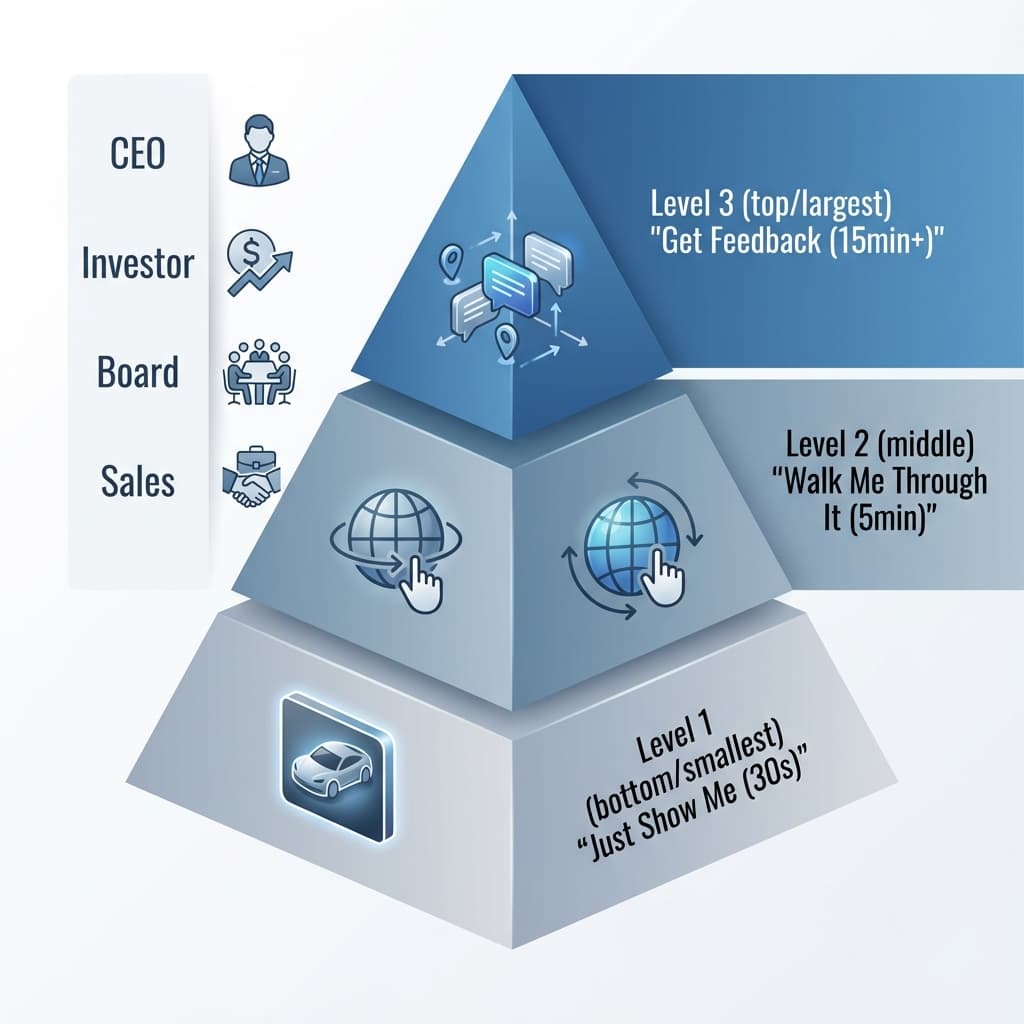
The Three Communication Levels
Match your approach to the stakeholder's need:
Level 1: "Just Show Me" (30 seconds)
For: CEO quick check, Slack update, "what does it look like now?"
- Share a single hero-angle render (PNG)
- Or: Send a 3D link they can orbit in 10 seconds
- No explanation needed—they just want to see it
Level 2: "Walk Me Through It" (5 minutes)
For: Investor demo, board update, sales enablement
- Interactive 3D link with preset camera angles
- Part labels or callouts for key features
- "Click here to see the motor, here to see the housing"
Level 3: "Get Feedback" (15+ minutes)
For: Design review, supplier check-in, customer co-design
- Spatial commenting—stakeholder can click and leave notes
- Multiple revisions with comparison view
- "This button feels too small" pinned to the exact location
Copy/Paste: Send a CEO/Investor Link
Use this when you want fast feedback without a meeting or CAD training.
Subject: Quick look — [Project Name] (latest design)

Hi [Name],

Here’s a view-only 3D link to the latest design:
[LINK]

What to look for:
- [1–2 bullets on what changed / what decisions are needed]
- [1–2 bullets on specific areas to review]

If you have feedback, click the part and leave a comment in the link—no CAD needed.

Thanks,
[Your Name]
What Non-Technical Stakeholders Actually Want
We've talked to dozens of CEOs and product managers. Here's their wishlist:
How Reific Solves This
Reific was built specifically for engineer-to-stakeholder communication:
- One-click sharing: Upload STEP → Get link → Stakeholder views in browser
- No software required: Works on any device—laptop, phone, tablet
- Photorealistic by default: Studio lighting and materials applied automatically
- Spatial comments: They click on the design to leave feedback, not write paragraphs
- Zero IP risk: They see pixels, not geometry—your design stays protected
See: Zero-Trust Sharing for the security details.
Key Takeaways
- ✓Non-technical stakeholders need visuals, not CAD files
- ✓Match communication level to audience (quick view vs. detailed feedback)
- ✓Interactive links beat static images for engagement
- ✓Web-based viewers eliminate software/IT barriers
FAQ
What if my stakeholder is on mobile?
Web-based viewers work on phones and tablets. Test your link on mobile before sharing to investors—they often check email on the go.
How do I control what they can see?
Most platforms let you hide internal components before sharing. Show the exterior only if you want to protect subassembly IP.
Can they download or steal the design?
With "pixels, not files" sharing, they receive rendered images only—no geometry data to extract. See: Zero-Trust Sharing
Let them see it without the training session.
Send a Reific link—CEOs and investors can orbit, comment, and approve in the browser with zero CAD training.
Share a Design Now