
Decision-grade vs. final-grade renders: when each actually matters
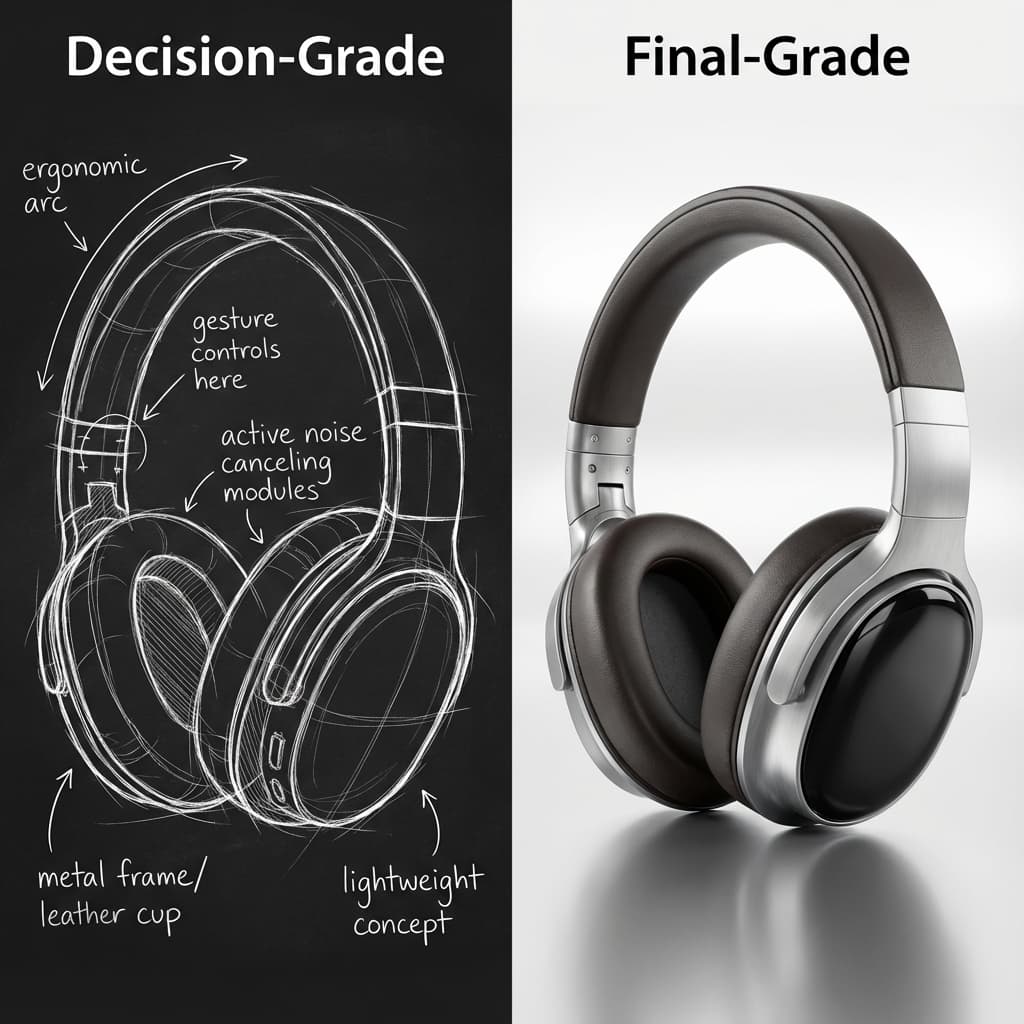
One of the biggest silent killers of velocity in hardware design is over-polishing. Teams treat every interim render like it’s going on a billboard.
The Mistake: One Standard for All Visuals
Most design teams have one definition of "done": Photorealism. Perfect lighting. High-res textures. Physically accurate ray tracing.
This standard is essential for:
• Marketing materials
• Investor decks
• Final stakeholder sign-off
But it is poison for:
• "Does this shape work?"
• "Should we do dark or light?"
• "Is the handle too thick?"
Decision-Grade vs. Final-Grade
We need to distinguish between two types of visual assets that serve completely different purposes.
| Feature | Decision-Grade | Final-Grade |
|---|---|---|
| Goal | Speed & Alignment | Beauty & Accuracy |
| Audience | Internal Team / Product | Customer / Investor |
| Cost to Change | Low (Minutes) | High (Days) |
| Fidelity | "Good Enough" | Pixel Perfect |
The Hidden Cost of Confusing Them
When you demand final-grade quality for decision-grade questions, you freeze the process. A designer skips 5 iterations because they don't have time to render them all. Context is lost because feedback ("make it nicer") becomes about the rendering technique, not the product design.
When feedback is disconnected from the asset—living in email threads or Slack channels—the designer becomes a translator, trying to decipher what "warmer lighting" means in Kelvin.
The Insight: Feedback Must Live on the Asset
For decision-grade visuals, the feedback loop is the work. The artifact isn't just a picture to look at; it's a surface to think on.
Teams that separate these stages move faster. They use Collaborative Canvases for the 90% of the work that is messy, iterative, and disposable. They accept "rough" visuals because they prioritize "clear" decisions.
Once the decisions are made, then they fire up the heavy engines for the final-grade polish. By then, they know exactly what they are building, so the expensive render is only done once.
What Does "Decision-Grade" Actually Mean?
Decision-grade refers to visual assets that are "good enough" to make a design decision—but not polished enough for external audiences. The key criteria:
- Accuracy: The geometry, proportions, and spatial relationships are correct
- Clarity: Stakeholders can understand what they're looking at
- Speed: Generated in minutes, not hours
- Disposability: No attachment—if the design changes, the visual is discarded
Decision-grade visuals often have simplified materials, basic lighting, and visible artifacts that would be unacceptable in marketing content. And that's fine—because their purpose is internal alignment, not external impression.
Real-World Examples
| Scenario | Decision-Grade Approach | Final-Grade Approach |
|---|---|---|
| "Should handle be thicker?" | Quick viewport render, 30 seconds | Full studio setup, 2 hours |
| "Matte or glossy finish?" | Material swap, compare in 1 minute | Separate final renders, 4 hours total |
| "Does this fit the brand?" | Share rough 3D link for feedback | Complete render suite for presentation |
| "Red or blue colorway?" | Side-by-side quick comps | Full lifestyle renders for each option |
The Velocity Math
Consider a design that goes through 15 visual reviews before final sign-off:
| Approach | Time per Visual | Total Time | Calendar Impact |
|---|---|---|---|
| All final-grade | 2 hours | 30 hours | ~4 weeks |
| 14 decision + 1 final | 5 min + 2 hours | 3.2 hours | ~2 days |
The difference: 27 hours saved. That's not just render time—it's meetings not scheduled, context not lost, and decisions not deferred.
Key Takeaways
- ✓Decision-grade = fast, accurate, disposable visuals for internal alignment
- ✓Final-grade = polished, beautiful, expensive visuals for external audiences
- ✓Using final-grade for decisions wastes 90% of render time
- ✓Separate the stages: iterate rough, then polish once
FAQ
What is decision-grade rendering?
Decision-grade rendering is the practice of creating "good enough" visual assets for internal design decisions—prioritizing speed and clarity over polish. The goal is alignment, not aesthetics. These renders are meant to be fast, disposable, and immediately useful for answering design questions.
When should I use decision-grade vs final-grade visuals?
Use decision-grade for anything internal: design reviews, stakeholder alignment, A/B comparisons, shape exploration. Use final-grade only when the visual will be seen by customers, investors, or partners—marketing materials, investor decks, product launches.
Won't stakeholders reject rough-looking renders?
Frame expectations upfront: "This is a quick decision visual—we're asking about the handle thickness, not the lighting." When stakeholders understand the purpose, they stop critiquing polish and focus on the actual design question.
How do I create decision-grade renders quickly?
Use viewport renders instead of production renders. Accept lower sample counts. Skip environmental lighting setup. Cloud platforms that render in seconds are ideal for decision-grade workflows—the speed enables true iteration.
Iterate in seconds. Polish once.
Reific is built for decision-grade speed—render in ~10 seconds after processing, make the call, then create the final asset only when you're certain.
Try Fast Iteration