
How teams handle late-stage visual changes (and why it breaks)
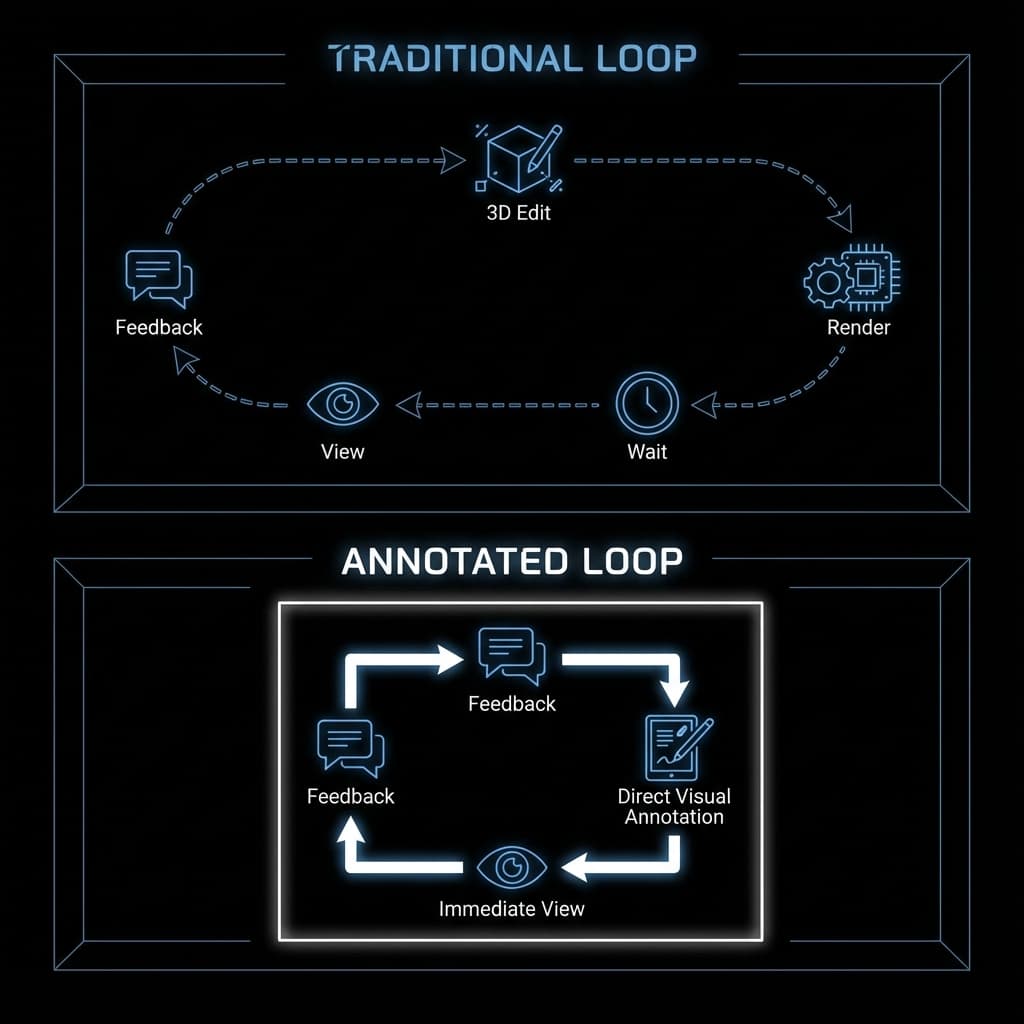
The most dangerous phase of product design is the "final" review. This is where timelines collapse.
The Official Way: The Homework Loop
You're in a design review. A stakeholder says, "Can we see that bezel a bit thinner?" or "Let's try a brushed finish."
In a standard pipeline, this simple request triggers a massive asynchronous loop:
- Capture Feedback: Notes are taken in a doc or email.
- The Walk Back: The designer returns to their desk.
- CAD Edit: Geometry is modified.
- Re-Import & Queue: The scene is updated and re-rendered.
- Wait: The team waits until the next meeting to see if it worked.
The Hidden Cost: Momentum Death
Because the cost of change is high (hours or days), two bad things happen:
- Stakeholders hesitate: They hold back feedback to avoid delaying the project, leading to mediocre products.
- Designers dread input: A simple "can we try..." feels like a punishment because it entails hours of busywork.
Teams resort to screenshots, red arrows in Paint, and hand-waving to avoid the "Homework Loop." They try to simulate the change mentally rather than actually visualizing it.
The Insight: Separate Geometry from Visuals
The mistake is assuming that every visual change requires a geometry change. Navigating back to the source CAD for every CMF (Color, Material, Finish) tweak is overkill.
If you want to change the color of a wall in a photo, you don't rebuild the house. You paint the photo. We need the same agility for product rendering.
The New Model: Annotation-Driven Iteration
Modern teams are moving toward direct visual annotation. Instead of taking notes to do later, they edit the visual in the meeting.
Imagine drawing a circle over a detail and typing "make this matte." The visual updates. You don't leave the room. You don't open the CAD software.
This keeps the team in the "decision flow." You solve the problem while the context is fresh, turning what used to be a week-long email chain into a 5-minute working session. By treating the render as a malleable canvas rather than a fixed output, you bring the iteration speed of sketching to high-fidelity visuals.